Detection
The detection system consists of camera, lens and scintillator screens. Below we list of all the camera, lens and scintillator screens options available at 2-BM.
These are the computers supporting detectors at 2-BM:
Station |
Name |
Model |
Product No. |
Serial No. |
Manual |
2-BM-A |
pg10ge |
HP Z8 G4 |
3GF37UT#ABA |
||
2-BM-B |
lyra |
HP EliteDesk 800 |
P4K18UT#ABA |
||
2-BM-B |
tomdet |
Super Micro |
For each machine part list at purchase time and for the list of supported hardware enter the serial numeber in the HP support web page.
These are the model/part number of the cameras in use at 2-BM:
Cameras
Camera |
pixels (HxV) |
pixels size (μm) |
bit |
fps |
Manual |
Part number |
Images |
Purchase orider |
|---|---|---|---|---|---|---|---|---|
Grasshopper3 9.1 MP Mono USB3 Vision (Sony ICX814) |
3376 x 2704 |
3.69 |
14 |
9 |
GS3-U3-91S6M-C |
|||
Grasshopper3 2.3 MP Mono USB3 Vision (Sony Pregius IMX174) |
1920 x 1200 |
5.86 |
10 |
163 |
GS3-U3-23S6M-C |
|||
Grasshopper3 5.0 MP Mono USB3 Vision (Sony Pregius IMX250) |
2448 x 2048 |
3.45 |
10 |
75 |
GS3-U3-51S5M-C |
|||
PCO DIMAX HS4 (*) |
2000 x 2000 |
11 |
12 |
100 (2277) |
camera link |
|
||
PCO EDGE 4.2 (*) |
2048 x 2048 |
6.5 |
16 |
100 |
camera link |
|||
Adimec 12 MP (**) |
4000 x 3000 |
5.5 |
8 |
187 |
Quartz quad CoaXPress Q-12A180 CMV12000 |
|||
Oryx 5.0 MP Mono 10GigE (***) |
2448 x 2048 |
3.45 |
8-12 |
162 |
ORX-10G-51S5M-C |
|
||
Oryx 31.0 MP Mono 10GigE (***) |
6464 x 4852 |
3.45 |
8-12 |
26 |
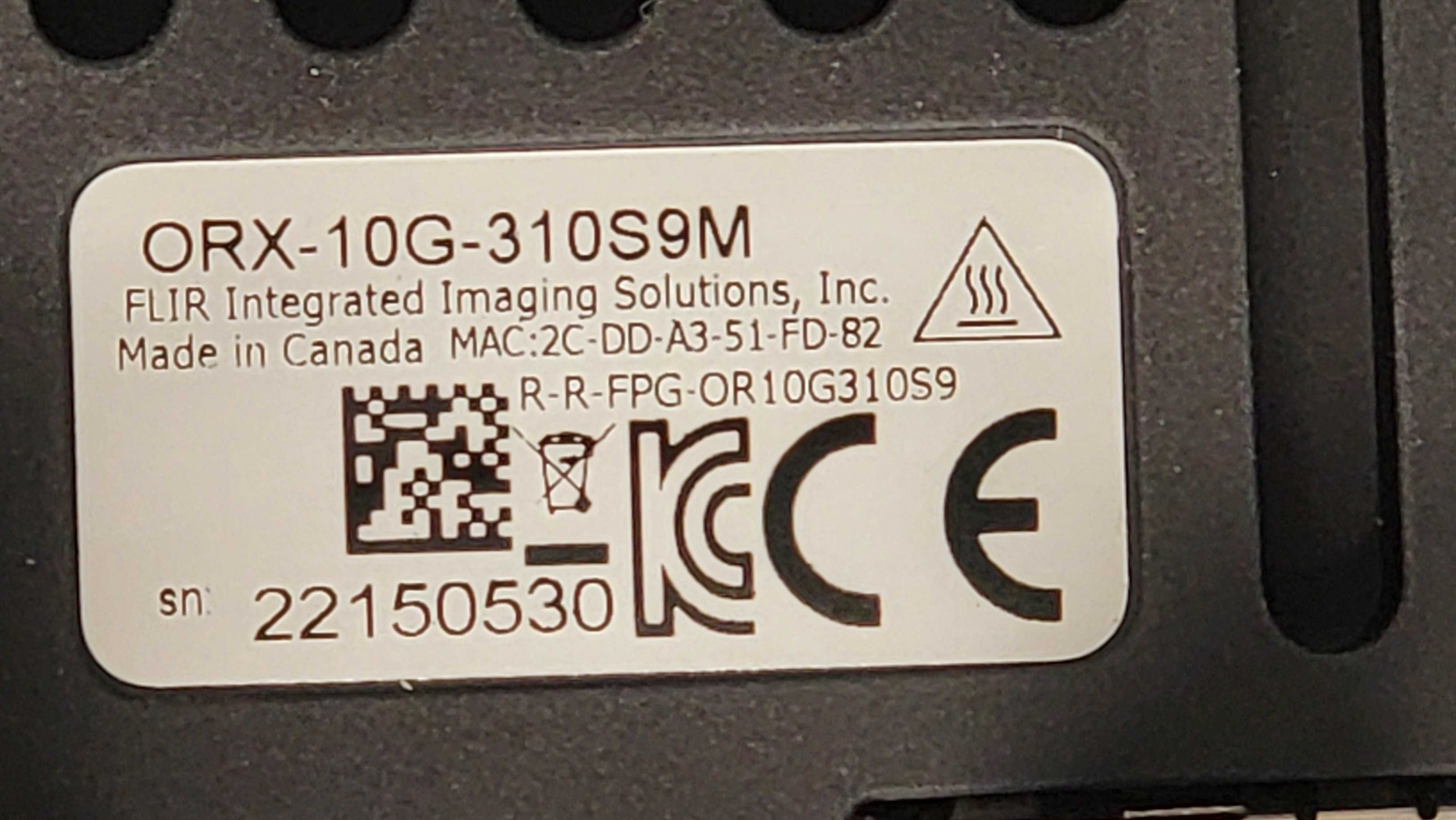
ORX-10G-310S9M |
|
||
Viewworks VNP-604MX-M6H00 (SONY IMX411) (****) |
14192 × 10640 |
3.76 |
11-16 |
6.2 |
VNP-604MX-M6H00 |
|||
pco.edge 10 BI CLHS (*****) |
4432 × 2368 |
4.6 |
16 |
120 |
10 BI CLHS |
|||
Teledyne Kinetix 10 |
3200 x 3200 |
6.5 |
8-12-16 |
498 |
O1_KINETIX_10MP_PCIE |
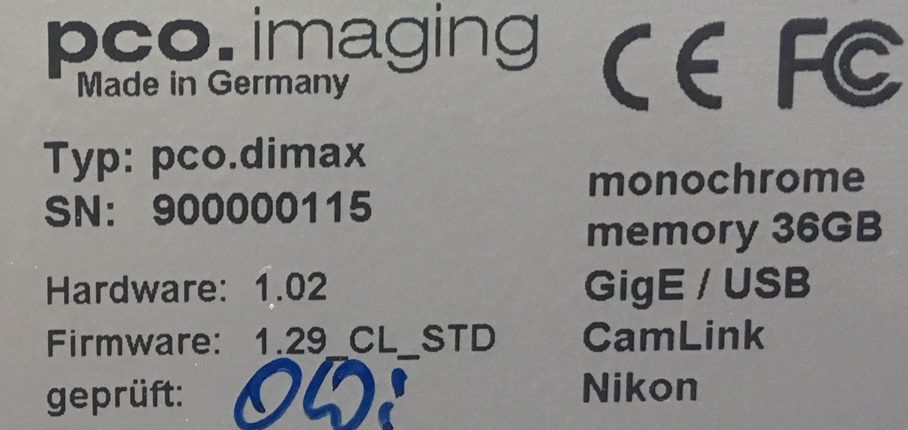

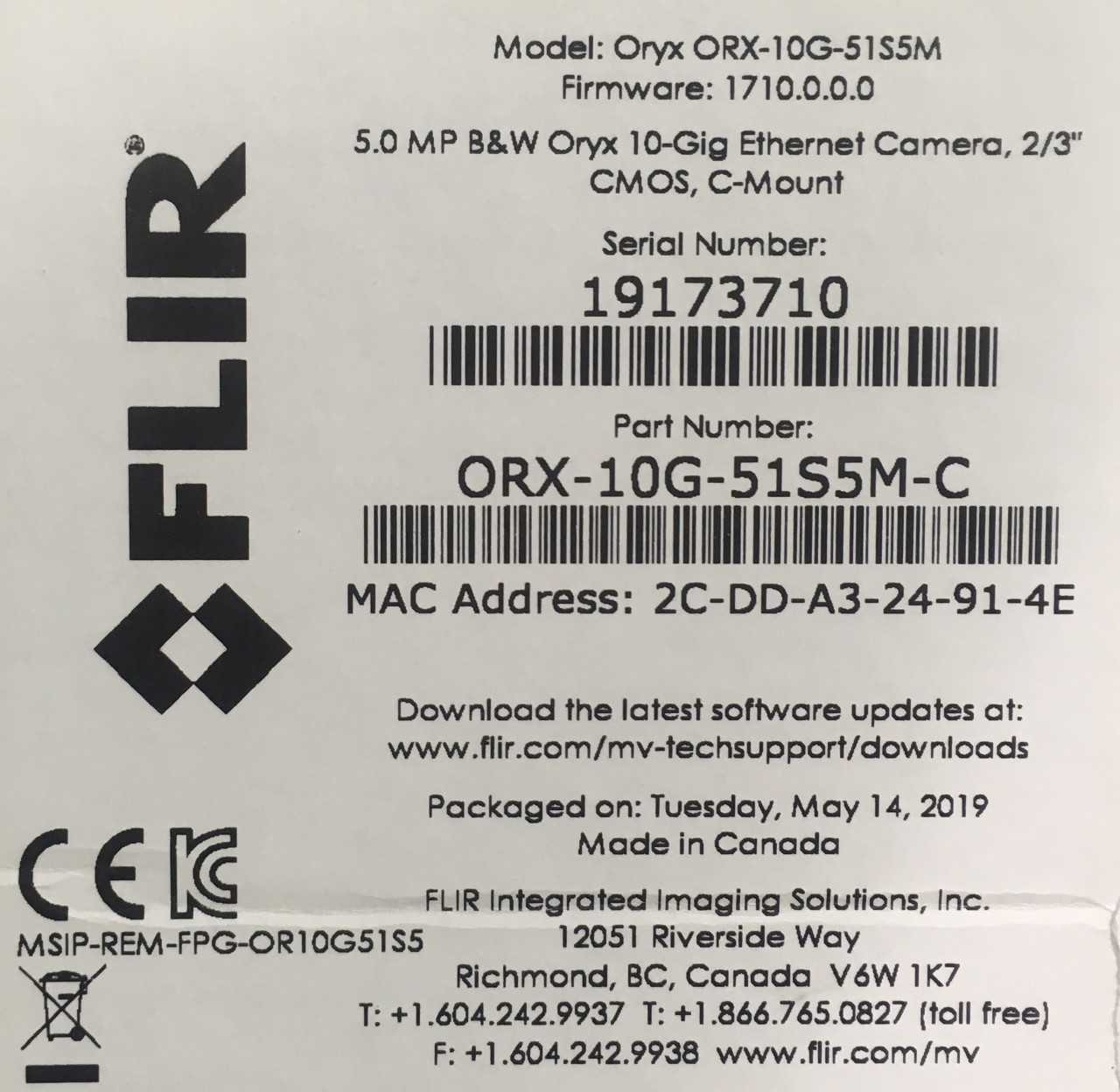
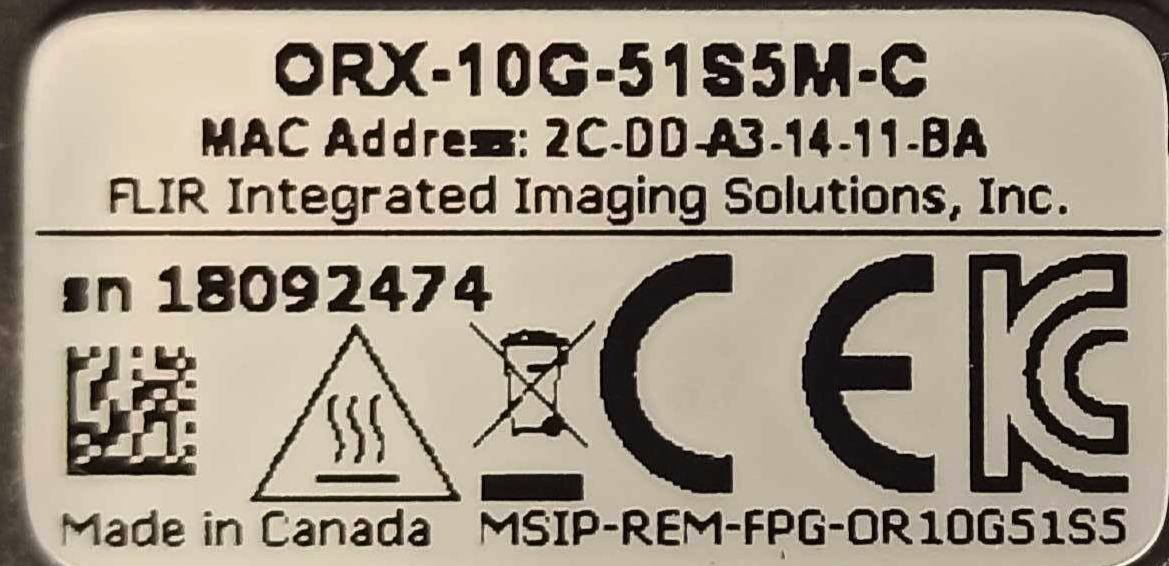
(*) use MicroEnable IV VD4-CL
(**) use Euresys Quad-G3 CXP framegrabber
(***) use Myricom ARC Series C-Class Network adapter
(****) use Euresys Coaxlink Quad CXP-12 framegrabber
(*****) use Kaya Instrument Komodo II Camera Link
fps () Only applies to detector with on board memory, transfer speed to on boad memory.
Different combinations of camera, lens and scintillator screensare are possible allowing for flexible data collection speed, pixel size, resolution and field of view. Here are few examples:
Pixels (H) |
Pixels (V) |
Detector pixel size (μm) |
Lens Mag |
Sample pixel size (μm) |
H filed of view (mm) |
V filed of view (mm) |
|---|---|---|---|---|---|---|
2448 |
2048 |
3.45 |
2 |
1.73 |
4.22 |
3.53 |
2448 |
2048 |
3.45 |
5 |
0.69 |
1.69 |
1.41 |
2448 |
2048 |
3.45 |
7.5 |
0.46 |
1.13 |
0.94 |
2448 |
2048 |
3.45 |
10 |
0.35 |
0.84 |
0.71 |
2448 |
2048 |
3.45 |
20 |
0.17 |
0.42 |
0.35 |
2448 |
2048 |
6.5 |
2 |
3.25 |
7.96 |
6.66 |
2448 |
2048 |
6.5 |
5 |
1.30 |
3.18 |
2.66 |
2448 |
2048 |
6.5 |
7.5 |
0.87 |
2.12 |
1.77 |
2448 |
2048 |
6.5 |
10 |
0.65 |
1.59 |
1.33 |
2448 |
2048 |
6.5 |
20 |
0.33 |
0.80 |
0.67 |
Oryx
31 Mpixel or the
To use the Flir Oryx camera ORX-10G-310S9M or ORX-10G-51S5M installed at 2-BM-B and connected to tomdet:
[user2bmb@parcturus]$ start_epics
then select Scan/Admin from:
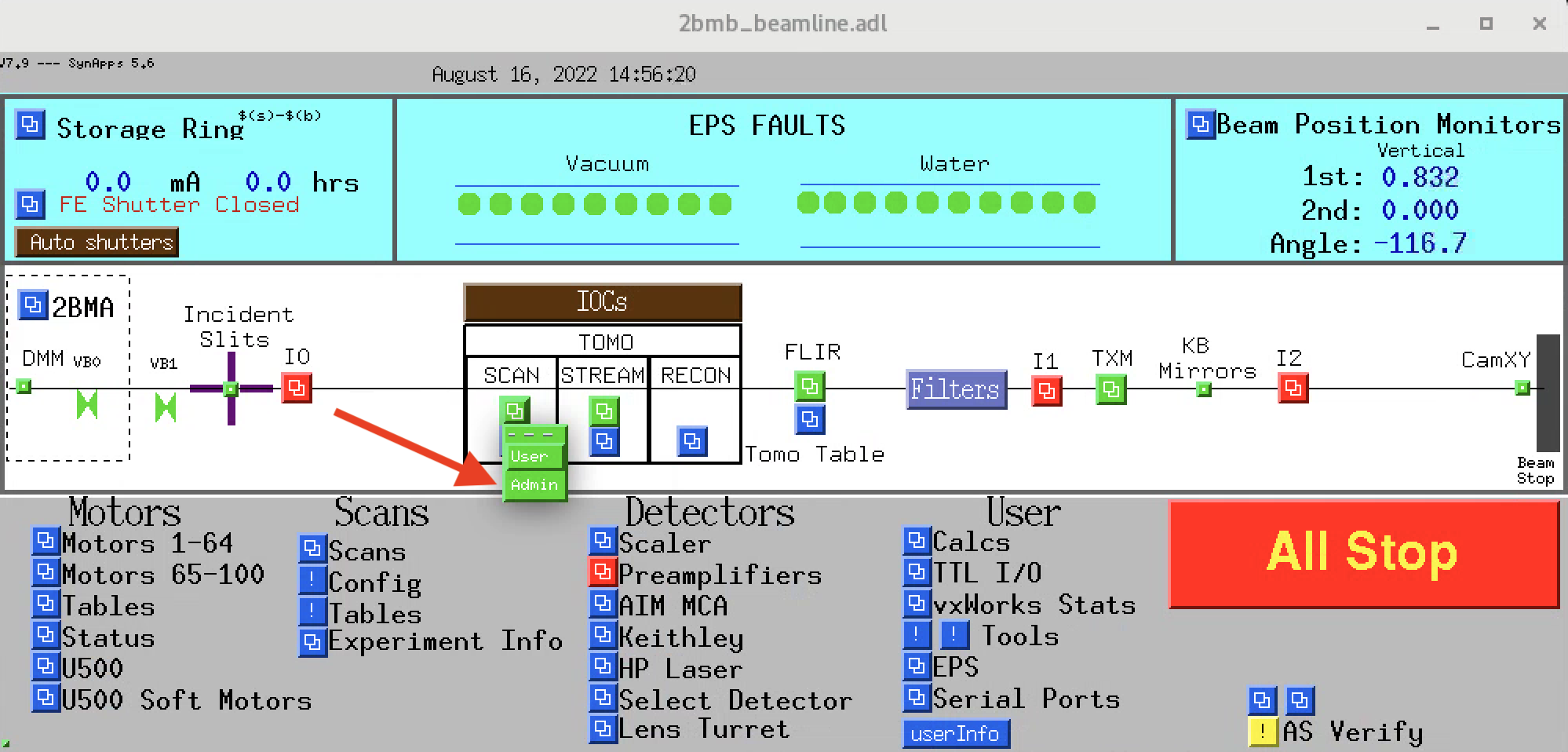
to obtain the FLIR Oryx areadetector main control in the mct_main screen select:
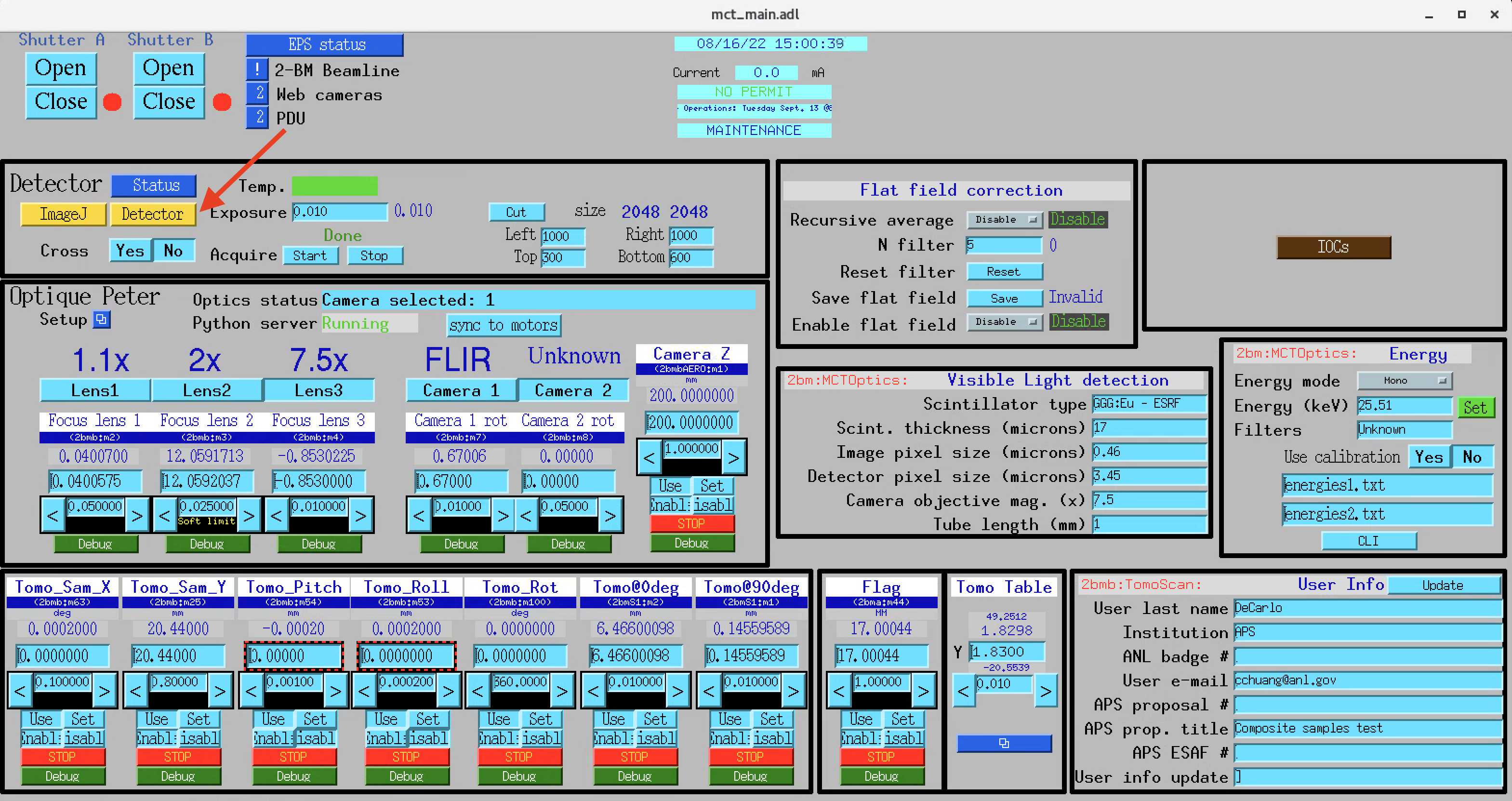
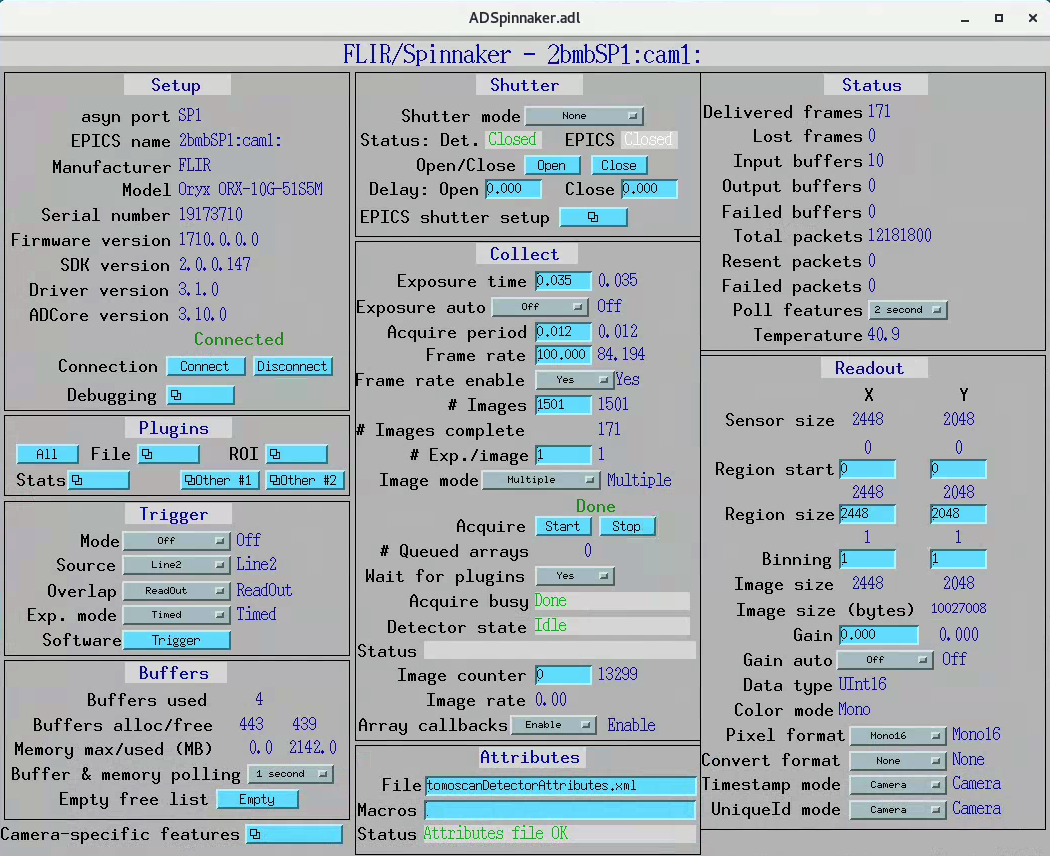
To collect an image press Acquire Start.
Startup
To start/stop the area detector IOC for the FLIR Oryx camera ORX-10G-310S9M or ORX-10G-51S5M cameras login into 2bmb@tomdet then type:
[2bmb@tomdet]$ bash
(base) 2bmb@tomdet ~ $ 2bmbOryx5mp
Usage: 2bmSP1.pl {caqtdm|console|edm|imagej|medm|phoebus|remote|restart|run|start|status|stop|usage}
[2bmb@tomdet]$ bash
(base) 2bmb@tomdet ~ $ 2bmbOryx31mp
Usage: 2bmSP1.pl {caqtdm|console|edm|imagej|medm|phoebus|remote|restart|run|start|status|stop|usage}
Manuals
Point Grey
To use the Point Grey GS3-U3-23S6M-C installed at 2-BM-B and connected to lyra:
[user2bmb@lyra]$ start_mona
then select MONA/User/detectors/Point Grey camera (PG3) to obtain the Point Grey areadetector main control screen:
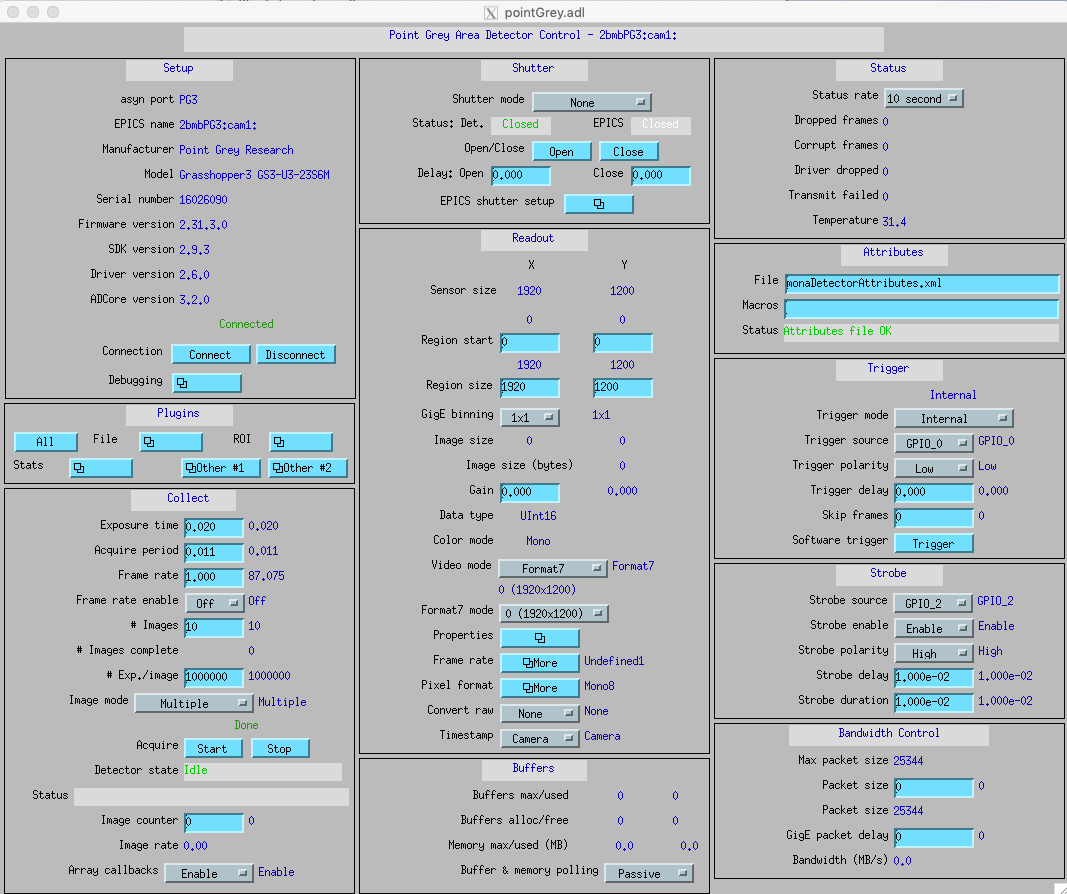
To collect an image press Acquire Start.
Startup
To start/stop the areadetector IOC for the Point Grey (model GS3-U3-23S6M-C) camera login into user2bmb@lyra then type:
[user2bmb@lyra]$ 2bmbPG3
 Usage: 2bmbPG3.sh {start|stop|restart|status|console|run}
[user2bmb@lyra]$ 2bmbPG3 status
[user2bmb@lyra]$ 2bmbPG3 start
Manuals
Adimec
The Quartz quad CoaXPress Q-12A180 CMV12000 installed at 2-BM-A is using the Euresys Quad-G3 CXP framegrabber.
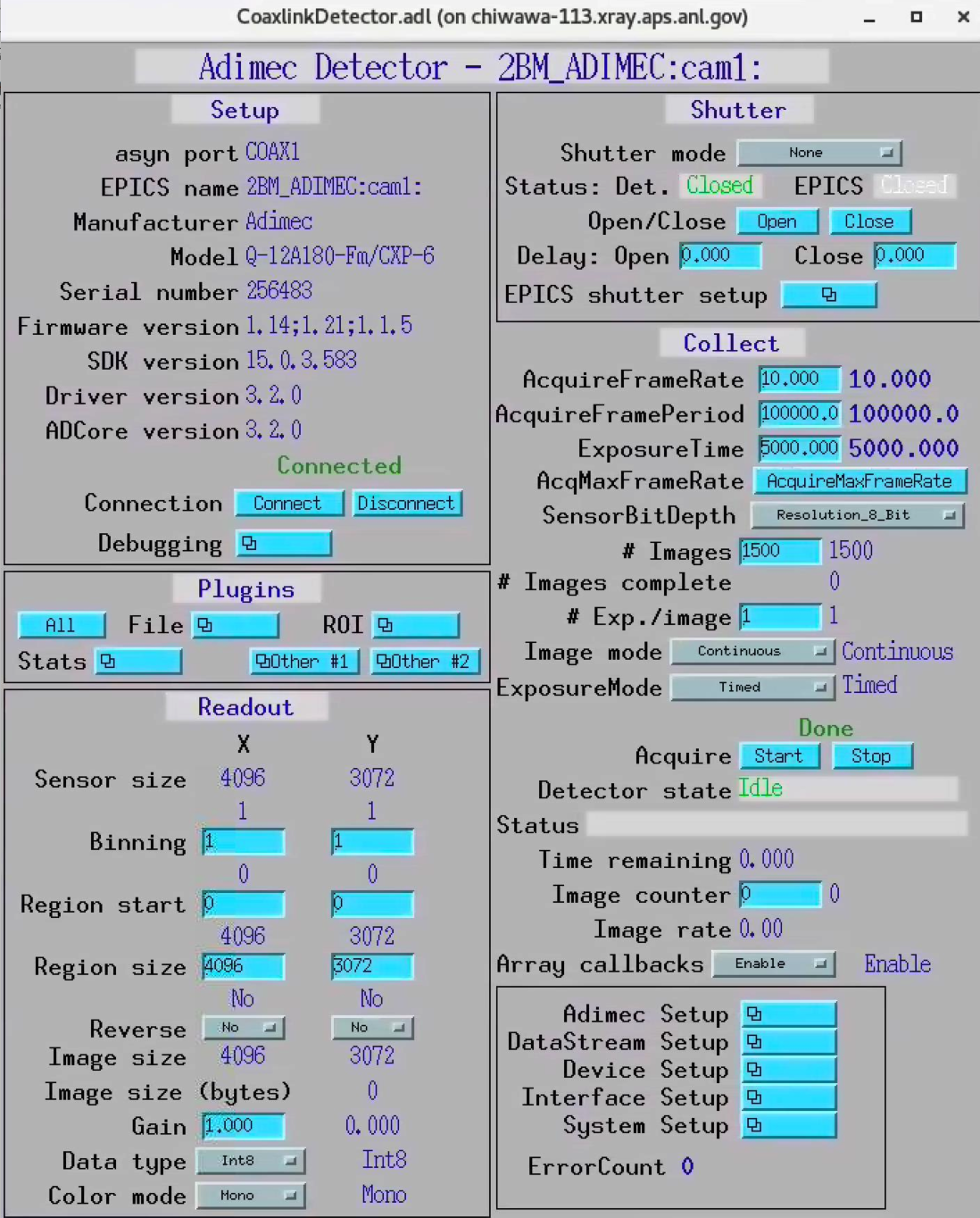
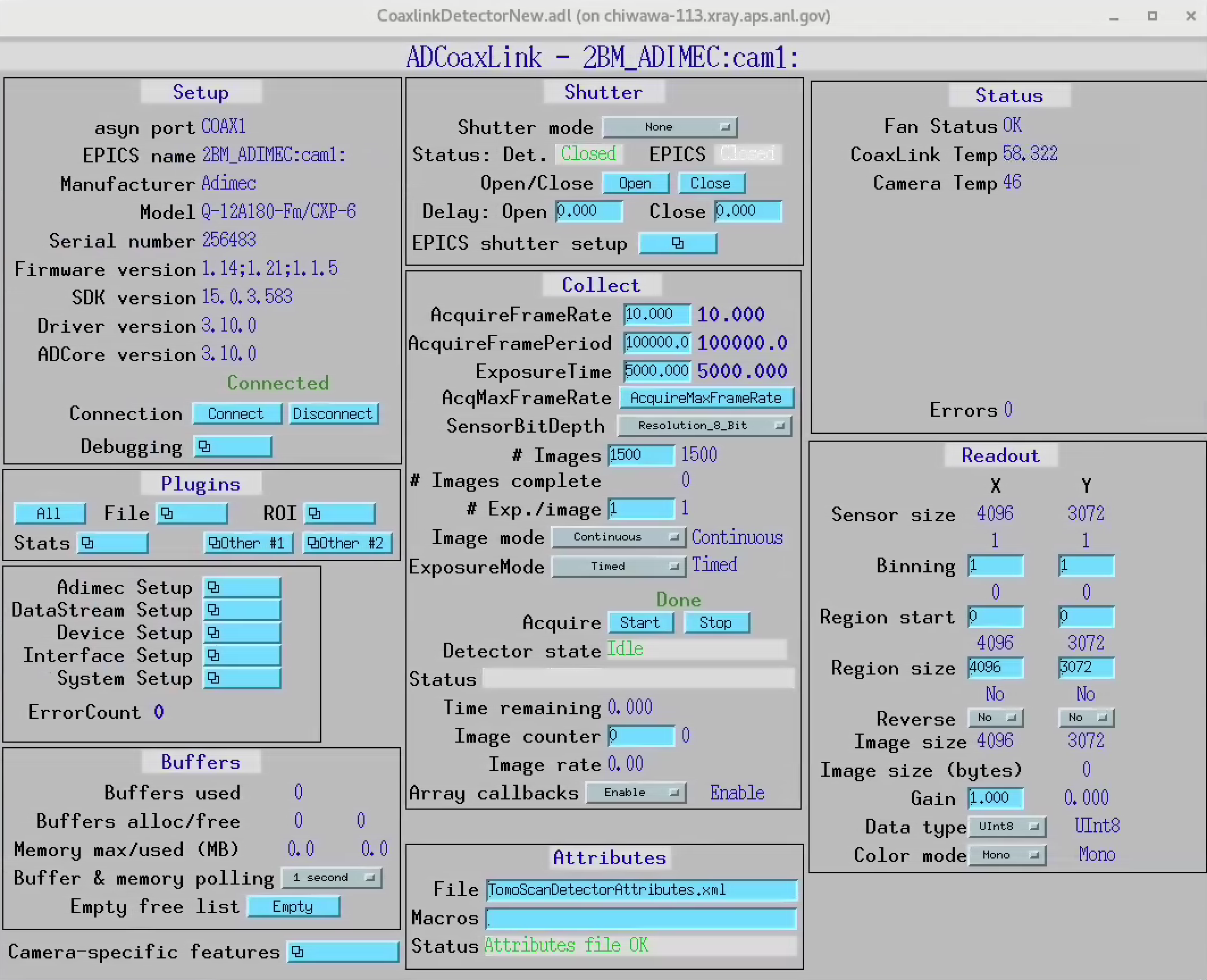
To use the Quartz quad CoaXPress Q-12A180 CMV12000 connected to chiwawa-113, start the Adimec areadetector main control screen
Old version:
[user2bmb@chiwawa-113]$ cd /local/epics/areaDetector-3-2/ADCoaxLink/iocs/coaxLinkIOC/iocBoot/iocCoaxLink
[user2bmb@chiwawa-113]$ ./Start_Adimec_Display.sh
[user2bmb@chiwawa-113]$ ./Start_Adimec.sh
New version:
[user2bmb@chiwawa-113]$ cd /net/s2dserv/xorApps/PreBuilts/areaDetector-R3-10/ADCoaxLink/iocs/coaxLinkIOC/iocBoot/iocCoaxLink/softioc/
[user2bmb@chiwawa-113]$ ./Adimec.sh
  Usage: Adimec.sh {start|stop|restart|status|console|run|medm|caqtdm}
  Additional options:
  Adimec.sh start {screen|procServ|ps|shell}
Startup
To start/stop the areadetector IOC for the Quartz quad CoaXPress Q-12A180 CMV12000 camera login into user2bmb@chiwawa-113 then type:
[user2bmb@chiwawa-113]$ cd /net/s2dserv/xorApps/PreBuilts/areaDetector-R3-10/ADCoaxLink/iocs/coaxLinkIOC/iocBoot/iocCoaxLink/softioc/
[user2bmb@chiwawa-113]$ ./Adimec.sh
  Usage: Adimec.sh {start|stop|restart|status|console|run|medm|caqtdm}
  Additional options:
  Adimec.sh start {screen|procServ|ps|shell}
Old version:
[user2bmb@chiwawa-113]$ cd /local/epics/areaDetector-3-2/ADCoaxLink/iocs/coaxLinkIOC/iocBoot/iocCoaxLink
[user2bmb@chiwawa-113]$ ./Start_Adimec.sh
To collect an image press Acquire Start.
Manuals
Note: Adimec cameras are usable with all Genicam compliant framegrabbers and their GUI software. The Euresys software called EGrabber avaialble at download.
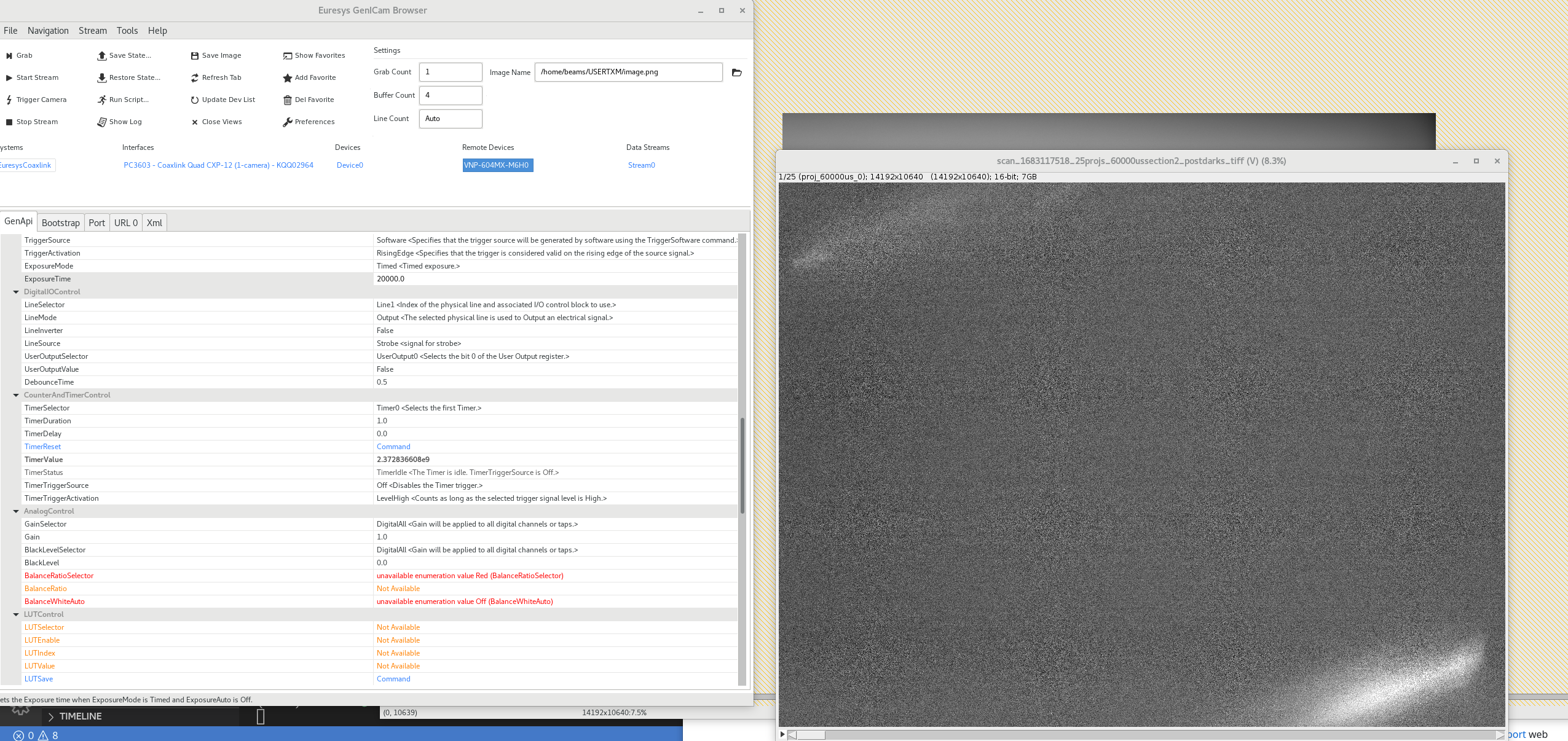
Viewworks 604MP
Test at txmthree:
(base) usertxm@txmthree ~ $ conda create -n egrabber python=3.9
(base) usertxm@txmthree ~/egrabber $ conda activate egrabber
(egrabber) usertxm@txmthree ~/egrabber $ pip install harvesters
(egrabber) usertxm@txmthree ~/egrabber $ conda install -c conda-forge tifffile
(egrabber) usertxm@txmthree ~/egrabber $ python A3_Hardware_Trigger_v1.3.6_BM_async.py
Camera browser:
(egrabber) usertxm@txmthree ~/egrabber $ /opt/euresys/egrabber/bin/x86_64/genicam-browser
Lenses
These are the model/part number of the microscope objective available at at 2-BM:
Brand |
each |
Part Number |
Magnification |
WD (mm) |
NA |
|---|---|---|---|---|---|
Mitutoyo |
3x |
NT-46-142 |
2x |
34 |
0.055 |
Mitutoyo |
3x |
NT46-143 |
5x |
34 |
0.14 |
Mitutoyo |
3x |
NT66-383 |
7.5x |
35 |
0.21 |
Mitutoyo |
3x |
NT46-144 |
10x |
34 |
0.28 |
Mitutoyo |
2x |
NT46-145 |
20x |
20 |
0.42 |
The purchase record can be found at lens_order_00001, lens_order_00002, lens_order_00003.
Scintillators
Source |
Type |
Thickness (μm) |
Size (mm) |
Specification |
Order Ref. |
|---|---|---|---|---|---|
ESRF |
GGG:Eu |
2 |
8 x 8 |
||
ESRF |
GGG:Eu |
5 |
8 x 8 |
||
ESRF |
GGG:Eu |
23 |
8 x 8 |
||
ESRF |
LOS:Tb |
6 |
8 x 8 |
||
ESRF |
GGG:Eu |
17 |
8 x 8 |
||
ESRF |
GGG:Eu |
21 |
8 x 8 |
||
ESRF |
GGG:Eu |
25 |
8 x 8 |
||
Marketech |
LuAG:Ce |
100 |
25.4 |
||
Marketech |
LuAG:Ce |
200 |
25.4 |
||
Crytur |
LuAG:Ce |
20 |
10 |
||
Crytur |
LuAG:Ce |
25 |
10 |
||
Crytur |
LuAG:Ce |
10 |
10 |
glued on 1 mm quartz. |
|
Crytur |
LuAG:Ce |
10 |
10 |
glued on 0.17 mm quartz |
|
Crytur |
LuAG:Ce |
50 |
25.5 |
Crytur cleaning crystal surfaces
use a mixture of HCl:HNO3 =3:2, (to remove Al coatings use NaOH)
rins in DI water
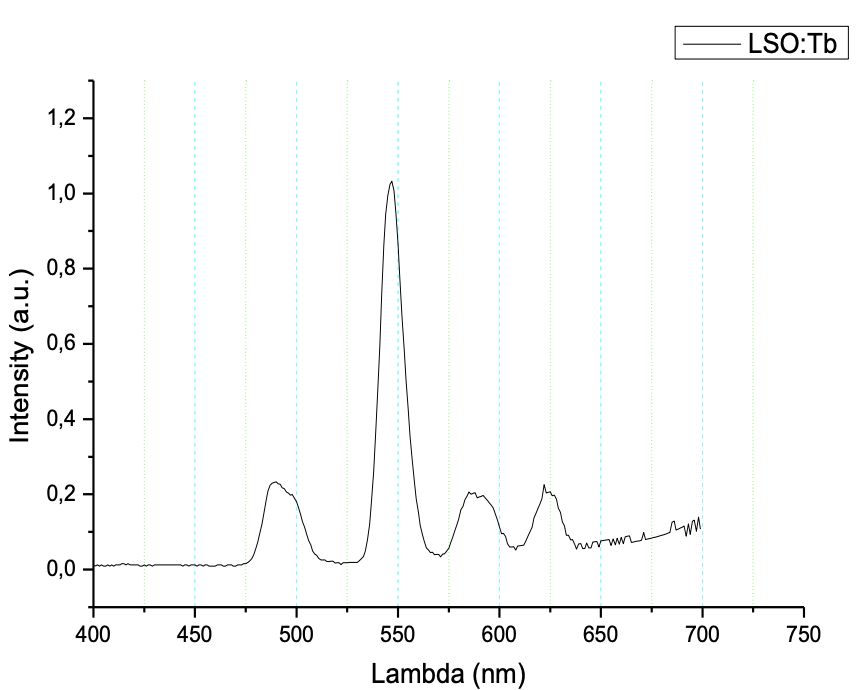
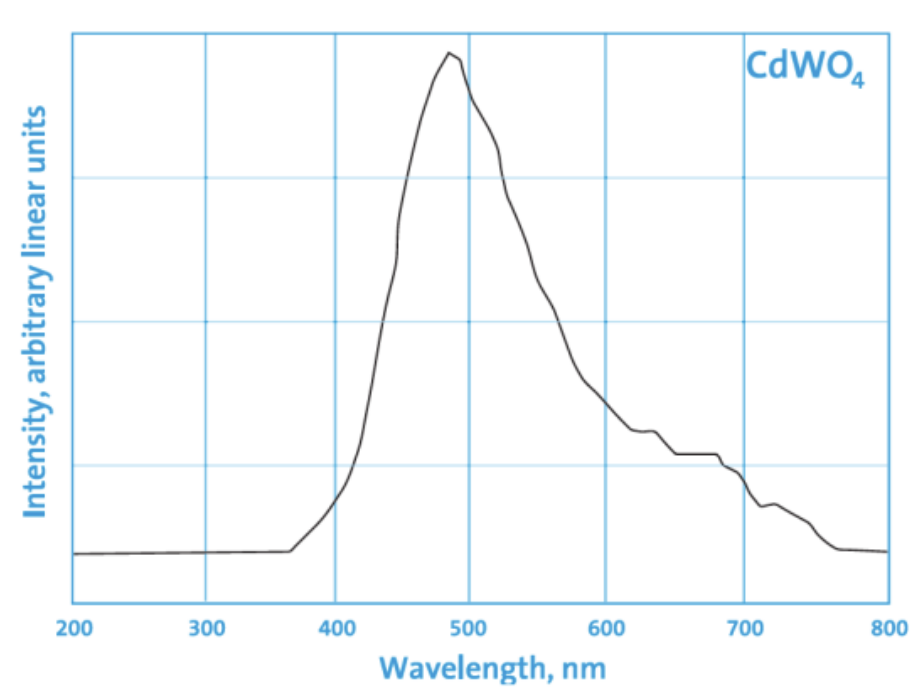
Scintillator emissions
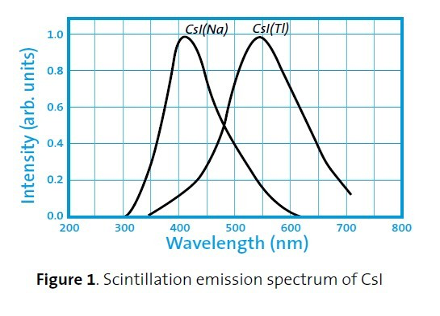
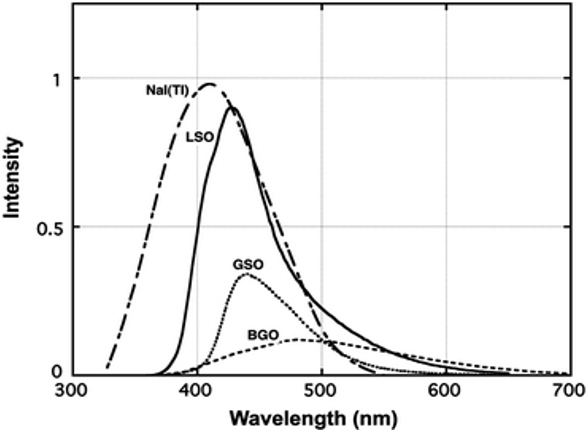
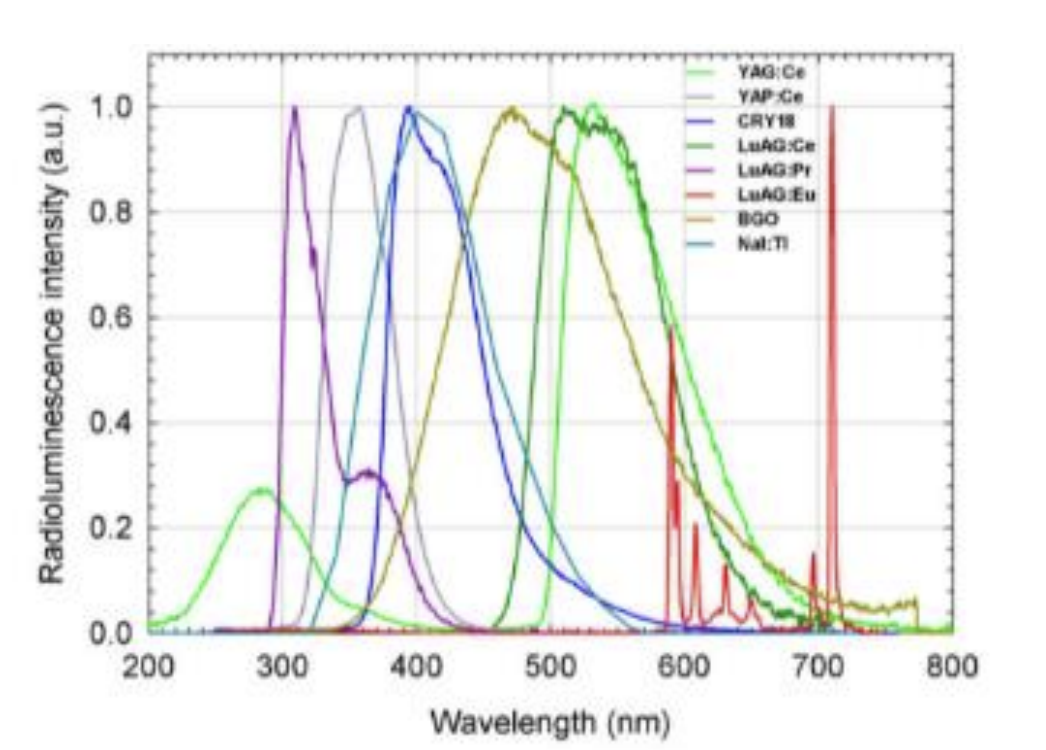
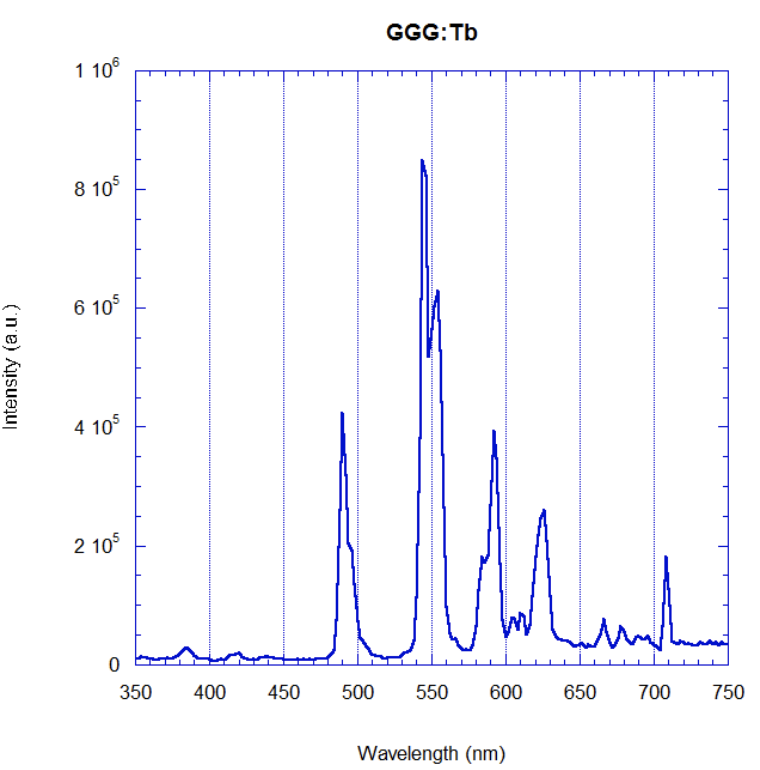
Below are the emission spectrum plots of common scintillator screens:
CCD Lens calculator
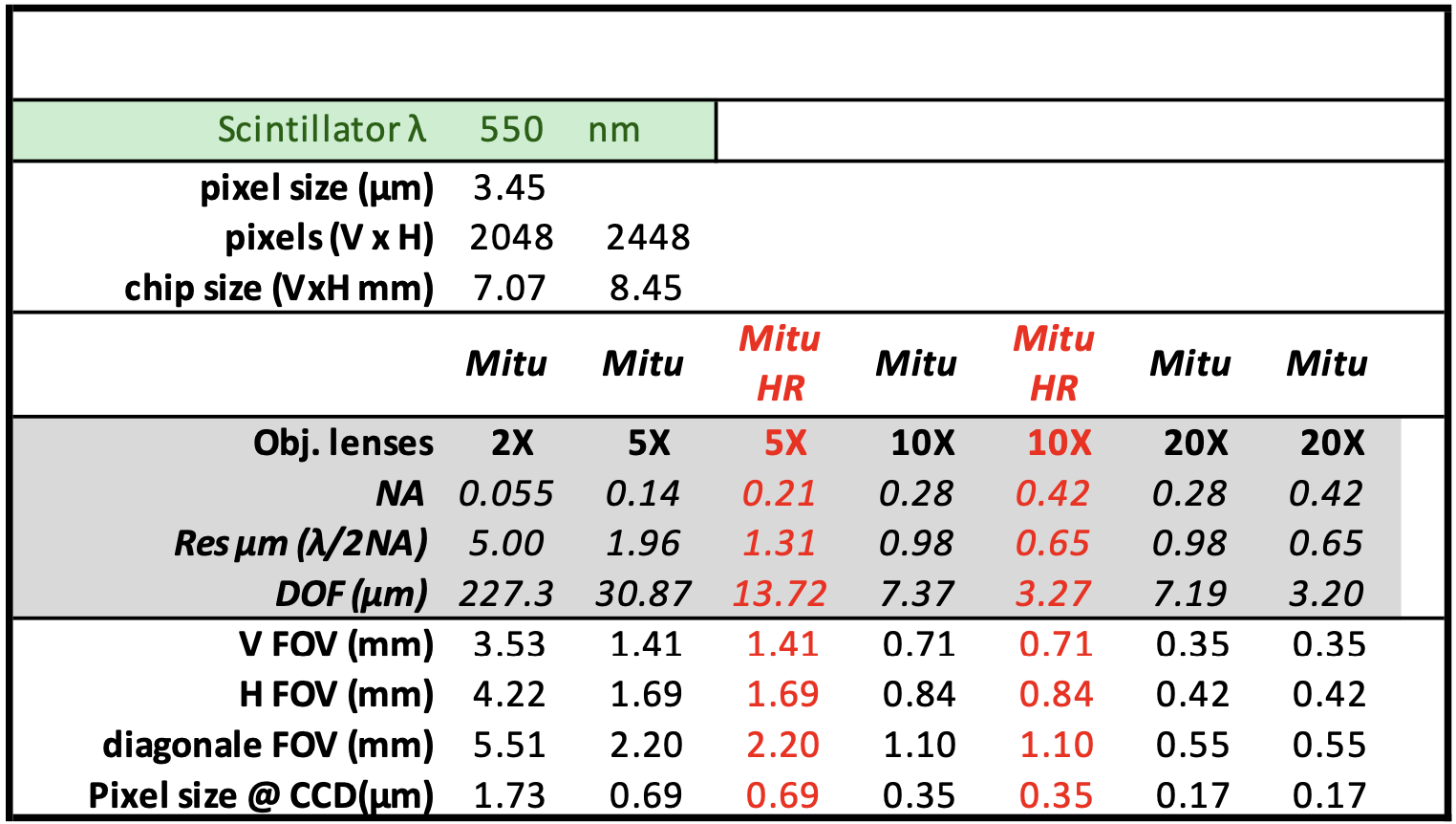
To calculate the pixel size / resolution for an arbitrary lens/scintillator/detector combination you can use the CCD Lens calculator to obtain the following:
Visualization
To view the images collected by the detector press ImageJ on the main beamline control screen:
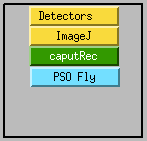
then make sure the areaDetector plug-in for ImageJ, ImageJ_Viewer, is running select:
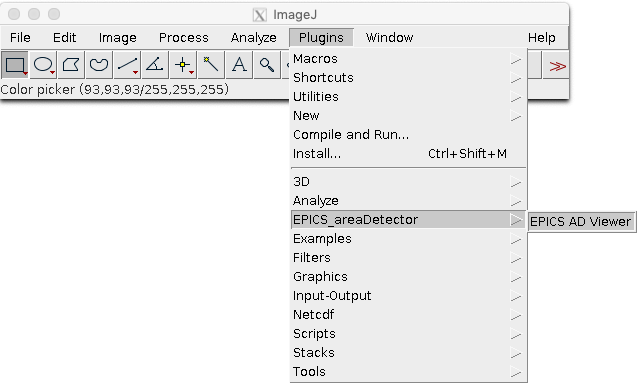
and press start at:

To open the hdf files saved by the detector use: