AreaDetector
Install directions
Build EPICS base
Warning
Make sure the disk partition hosting ~/epics is not larger than 2 TB. See tech talk and Diamond Data Storage document.
$ mkdir ~/epics-ad
$ cd epics-ad
Download EPICS base latest release from https://github.com/epics-base/epics-base:
$ git clone https://github.com/epics-base/epics-base.git
$ cd epics-base
$ git submodule init
$ git submodule update
$ make distclean (do this in case there was an OS update)
$ make -sj
Warning
if you get a configure/os/CONFIG.rhel9-x86_64.Common: No such file or directory error issue this in your csh termimal: $ setenv EPICS_HOST_ARCH linux-x86_64
Build ADSimDetector
Download in ~/epics-ad assemble_synApps.sh
Edit the assemble_synApps.sh script to include only:
$modules{'ASYN'} = 'R4-44-2';
$modules{'AUTOSAVE'} = 'R5-11';
$modules{'AREA_DETECTOR'} = 'R3-12-1';
$modules{'AREA_DETECTOR_SUBMODULES'} = 'ADSimDetector'; # Space-separated #. list of extra submodules to check out
$modules{'BUSY'} = 'R1-7-4';
$modules{'CALC'} = 'R3-7-5';
$modules{'DEVIOCSTATS'} = '3.1.16';
$modules{'SSCAN'} = 'R2-11-6';
$modules{'SNCSEQ'} = 'R2-2-9';
$modules{'XXX'} = 'R6-3';
You can comment out all of the other modules (ALLENBRADLEY, ALIVE, etc.)
Run:
$ cd ~/epics-ad
$ ./assemble_synApps.sh --dir=synApps --base=/home/beams/FAST/epics-ad/epics-base
Warning
replace /home/beams/FAST/ with the path of your home directory
This will create a synApps/support directory:
$ cd synApps/support/
Build with:
$ make release
$ make -sj
Testing ADSimDetector
cd ~/epics-ad/synApps/support/areaDetector-R3-12-1/ADSimDetector/iocs/simDetectorIOC/iocBoot/iocSimDetector
rename envPaths as envPaths.linux:
mv envPaths envPaths.linux
edit st.cmd.linux from:
< envPaths.linux
< st_base.cmd
to:
< ./envPaths.linux
< ./st_base.cmd
edit start_epics from:
#medm -x -macro "P=13SIM1:, R=cam1:" simDetector.adl &
../../bin/linux-x86_64/simDetectorApp st.cmd.linux
to:
#!/bin/csh
setenv EPICS_APP_AD /home/beams/FAST/epics-ad/synApps/support/areaDetector-R3-12-1/ADCore
setenv EPICS_APP_ADSIM /home/beams/FAST/epics-ad/synApps/support/areaDetector-R3-12-1/ADSimDetector
#####################
# prepare MEDM path
#
if (! ${?EPICS_DISPLAY_PATH}) setenv EPICS_DISPLAY_PATH '.'
setenv EPICS_DISPLAY_PATH $EPICS_DISPLAY_PATH':'$EPICS_APP_ADSIM/simDetectorApp/op/adl
setenv EPICS_DISPLAY_PATH $EPICS_DISPLAY_PATH':'$EPICS_APP_AD/ADApp/op/adl
medm -x -macro "P=13SIM1:, R=cam1:" ../../../../simDetectorApp/op/adl/simDetector.adl &
../../bin/linux-x86_64/simDetectorApp st.cmd.linux
Warning
replace /home/beams/FAST/ with the path of your home directory
Start ADSimDetector
./start_epics

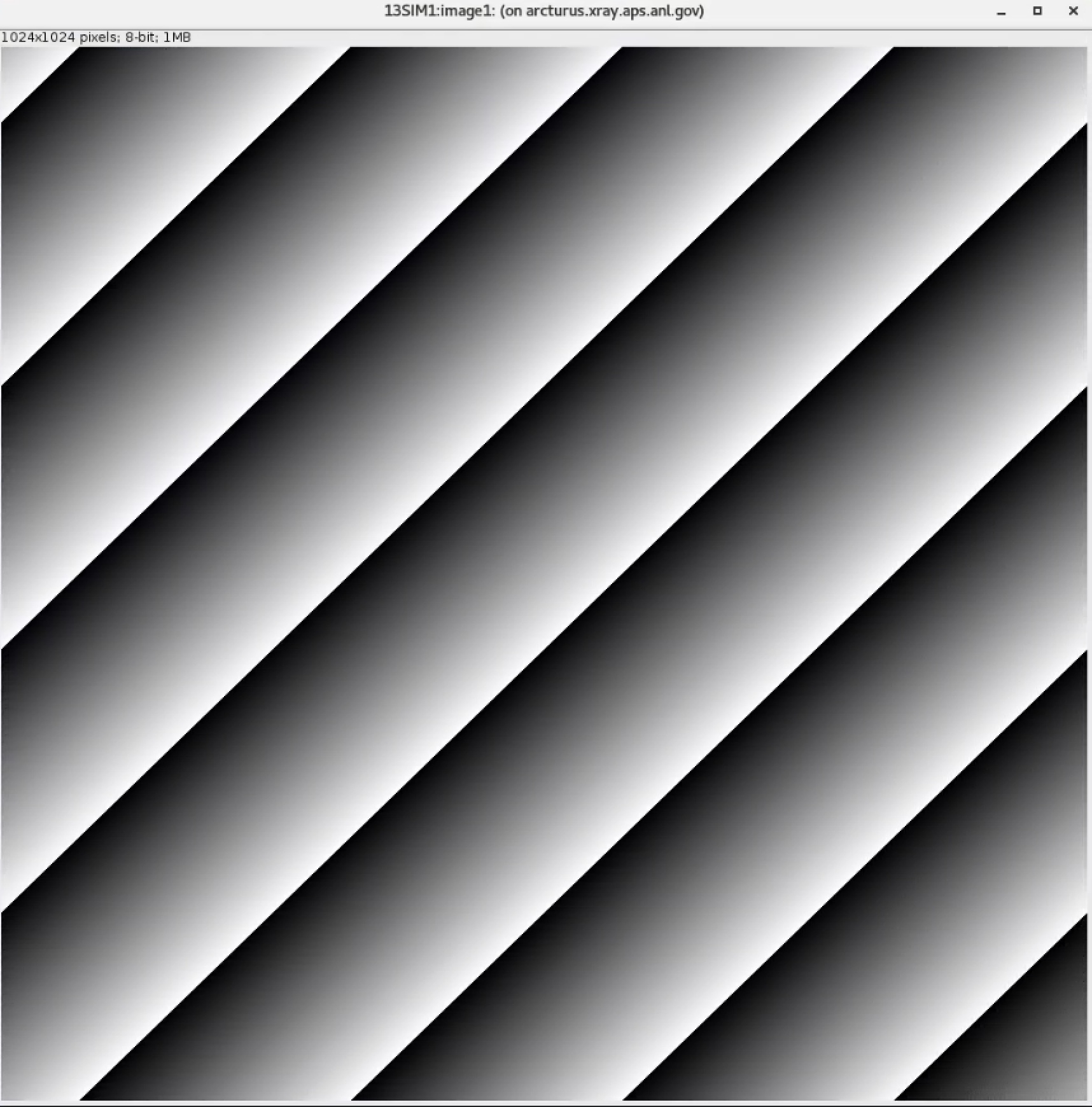
Install ADAravis
Detailed instructions are here.
Make sure the assemble_synApps.sh script includes:
$modules{'AREA_DETECTOR_SUBMODULES'} = 'ADAravis ADGenICam'; # Space-separated list of extra
then run assemble_synApps.sh
$ cd ~/epics-ad
$ ./assemble_synApps.sh --dir=synApps --base=/home/beams/FAST/epics-ad/epics-base
Warning
replace /home/beams/FAST/ with the path of your home directory
Warning
if you get a make: No rule to make target … Stop error issue this in your csh termimal: $ setenv EPICS_HOST_ARCH linux-x86_64
and build ADGenICam
$ cd ~/epics-ad/synApps/support/areaDetector-R3-12-1/ADGenICam
$ make -sj
todo: add instruction on envPaths etc.
Testing ADAravis
cd areaDetector-R3-11/ADAravis/iocs/aravisIOC/iocBoot/iocAravis
and edit this line:
# Name of camera as reported by arv-tool
epicsEnvSet("CAMERA_NAME", "FLIR-Oryx ORX-10G-51S5M-18011754")
of the st.cmd.Oryx_51S5 file to add the camera information obtained by the output of the arv-tool:
# Name of camera as reported by arv-tool
epicsEnvSet("CAMERA_NAME", "FLIR-Oryx ORX-10G-51S5M-19173710")
epicsEnvSet("CAMERA_ID", "FLIR-Oryx ORX-10G-51S5M-19173710")
epicsEnvSet("CAMERA_INFO", "FLIR-Oryx ORX-10G-51S5M-19173710 (169.254.0.51)")
edit the start_epics file as follows:
#!/bin/csh
setenv EPICS_APP_AD /home/beams/FAST/epics-ad/synApps//support/areaDetector-R3-12-1/ADCore
setenv EPICS_APP_ADGENICAM /home/beams/FAST/epics-ad/synApps//support/areaDetector-R3-12-1/ADGenICam
setenv EPICS_APP_ADARAVIS /home/beams/FAST/epics-ad/synApps//support/areaDetector-R3-12-1/ADAravis
#####################
# prepare MEDM path
#
if (! ${?EPICS_DISPLAY_PATH}) setenv EPICS_DISPLAY_PATH '.'
setenv EPICS_DISPLAY_PATH $EPICS_DISPLAY_PATH':'$EPICS_APP_ADARAVIS/aravisApp/op/adl
setenv EPICS_DISPLAY_PATH $EPICS_DISPLAY_PATH':'$EPICS_APP_ADGENICAM/GenICamApp/op/adl
setenv EPICS_DISPLAY_PATH $EPICS_DISPLAY_PATH':'$EPICS_APP_AD/ADApp/op/adl

medm -x -macro "P=13ARV1:, R=cam1:, C=FLIR-Oryx-ORX-10G-310S9M" ../../../../aravisApp/op/adl/ADAravis.adl &

../../bin/linux-x86_64/ADAravisApp st.cmd.Oryx_51S5
Warning
replace /home/beams/FAST/ with the path of your home directory
Start ADAravis
./start_epics

Install ADSpinnaker
Detailed instructions are at the areadetector doc page.
Make sure the assemble_synApps.sh script includes:
$modules{'AREA_DETECTOR_SUBMODULES'} = 'ADSpinnaker ADGenICam'; # Space-separated list of
then run assemble_synApps.sh
$ cd ~/epics-ad
$ ./assemble_synApps.sh --dir=synApps --base=/home/beams/FAST/epics-ad/epics-base
Warning
replace /home/beams/FAST/ with the path of your home directory
Warning
if you get a make: No rule to make target … Stop error issue this in your csh termimal: $ setenv EPICS_HOST_ARCH linux-x86_64
and build ADGenICam
$ cd ~/epics-ad/synApps/support/areaDetector-R3-12-1/ADGenICam
$ make -sj
then install the Spinnaker SDK must be downloaded and installed on the Windows or Linux machine prior to running the IOC because it installs the necessary drivers.
todo: add instruction on envPaths etc.
Testing ADSpinnaker
cd areaDetector-R3-11/ADSpinnaker/iocs/spinnakerIOC/iocBoot/iocSpinnaker
and edit this line:
# Name of camera as reported by arv-tool
epicsEnvSet("CAMERA_NAME", "FLIR-Oryx ORX-10G-51S5M-18011754")
of the st.cmd.Oryx_51S5 file to add the camera information obtained by the output of the arv-tool:
# Use this line for a specific camera by serial number, in this case a BlackFlyS GigE
epicsEnvSet("CAMERA_ID", "19173710")  # 2-BM-B 2bmbSP1:
epicsEnvSet("CAMERA_INFO", "FLIR-Oryx ORX-10G-51S5M-19173710 (169.254.0.51)")
edit the start_epics file as follows:
#!/bin/csh
setenv EPICS_APP_AD /home/beams/FAST/epics-ad/synApps//support/areaDetector-R3-12-1/ADCore
setenv EPICS_APP_ADGENICAM /home/beams/FAST/epics-ad/synApps//support/areaDetector-R3-12-1/ADGenICam
setenv EPICS_APP_ADSpinnaker /home/beams/FAST/epics-ad/synApps//support/areaDetector-R3-12-1/ADSpinnaker
#####################
# prepare MEDM path
#
if (! ${?EPICS_DISPLAY_PATH}) setenv EPICS_DISPLAY_PATH '.'
setenv EPICS_DISPLAY_PATH $EPICS_DISPLAY_PATH':'$EPICS_APP_ADSpinnaker/spinnakerApp/op/adl
setenv EPICS_DISPLAY_PATH $EPICS_DISPLAY_PATH':'$EPICS_APP_ADGENICAM/GenICamApp/op/adl
setenv EPICS_DISPLAY_PATH $EPICS_DISPLAY_PATH':'$EPICS_APP_AD/ADApp/op/adl

medm -x -macro "P=13SP1:, R=cam1:, C=FLIR-Oryx-ORX-10G-310S9M" ../../../../spinnakerApp/op/adl/ADSpinnaker.adl &

../../bin/linux-x86_64/spinnakerApp st.cmd.oryx_51S5
Start ADSpinnaker
./start_epics

arv-tool
The arv-tool is part of the Aravis library, typically used for managing and controlling GenICam-compliant cameras. You can extract the camera’s XML description file, which contains details about the camera’s features and configuration, using the following steps:
git clone https://github.com/AravisProject/aravis.git
cd aravis
to configure and build it install meson or ninja with:
pip install --user meson ninja
Adding ~/.local/bin to your PATH to access them by adding in your .bashrc:
export PATH=$HOME/.local/bin:$PATH
then build aravis with:
meson setup builddir --prefix=$HOME/aravis-install
cd builddir
meson compile
meson install
Add the local installation directory to your environment variables:
export PATH=$HOME/aravis-install/bin:$PATH
export LD_LIBRARY_PATH=$HOME/aravis-install/lib:$LD_LIBRARY_PATH
export PKG_CONFIG_PATH=$HOME/aravis-install/lib/pkgconfig:$PKG_CONFIG_PATH
export GI_TYPELIB_PATH=$HOME/aravis-install/lib/girepository-1.0:$GI_TYPELIB_PATH
then find information about any camera connected to the comuter with:
arv-tool-0.10 --list
The arv-tool is used to download from the camera the XML file tha will be used to automatically create the camera EPICS data base the MEDM scrrens. Please look at the areadetector documentation here 2 for more details.
Configure NIC on 10gbit FLIR cameras
Prerequisites:
64GB memory Cat 6A cable Intel X550T2 ETHERNET CONVERGED Network Adapter X550-T2
Enable jumbo packet
Disable DHCP and set a fixed IP address on the Ethernet port connecting to the FLIR
Increase the receive buffer size (MTU ~ 9000)
Increase the Network parameters in the kernel
Set the NIC tx queue length
is available from Sorcium as Part#: 3E9073
and 4. are documented at:
is documented both at flir doc and in the areadetector doc:
edit /etc/sysctl.conf and add:
net.core.rmem_default=26214400 net.core.rmem_max=268435456
edit /etc/rc.local and add:
#NIC camera settings and 10GB nic settings In this example the camera is attached to ens1f1 /usr/sbin/ifconfig ens1f1 txqueuelen 3000 (this is hardware specific . i.e. this card supports up to 4096, some max out at about 512 etc.)