Jena NV200D
The Jena NV200D/NET controllers drive two piezo axes (X and Y) at 2-BM-B. They complement the existing Jena NV100D and are integrated with the FPGA trigger to step through a pre-loaded position list during tomography acquisitions.
EPICS IOC startup
Start the Jena NV200D EPICS support on arcturus:
[2bmb@arcturus]$ cd /net/s2dserv/xorApps/epics/synApps_6_3/ioc/JenaNV200D/iocBoot/iocJenaNV200D
[2bmb@arcturus]$ ../../bin/rhel9-x86_64/JenaNV200D st.cmd.Linux
The IOC can also be started and stopped from the iocs_start screen:
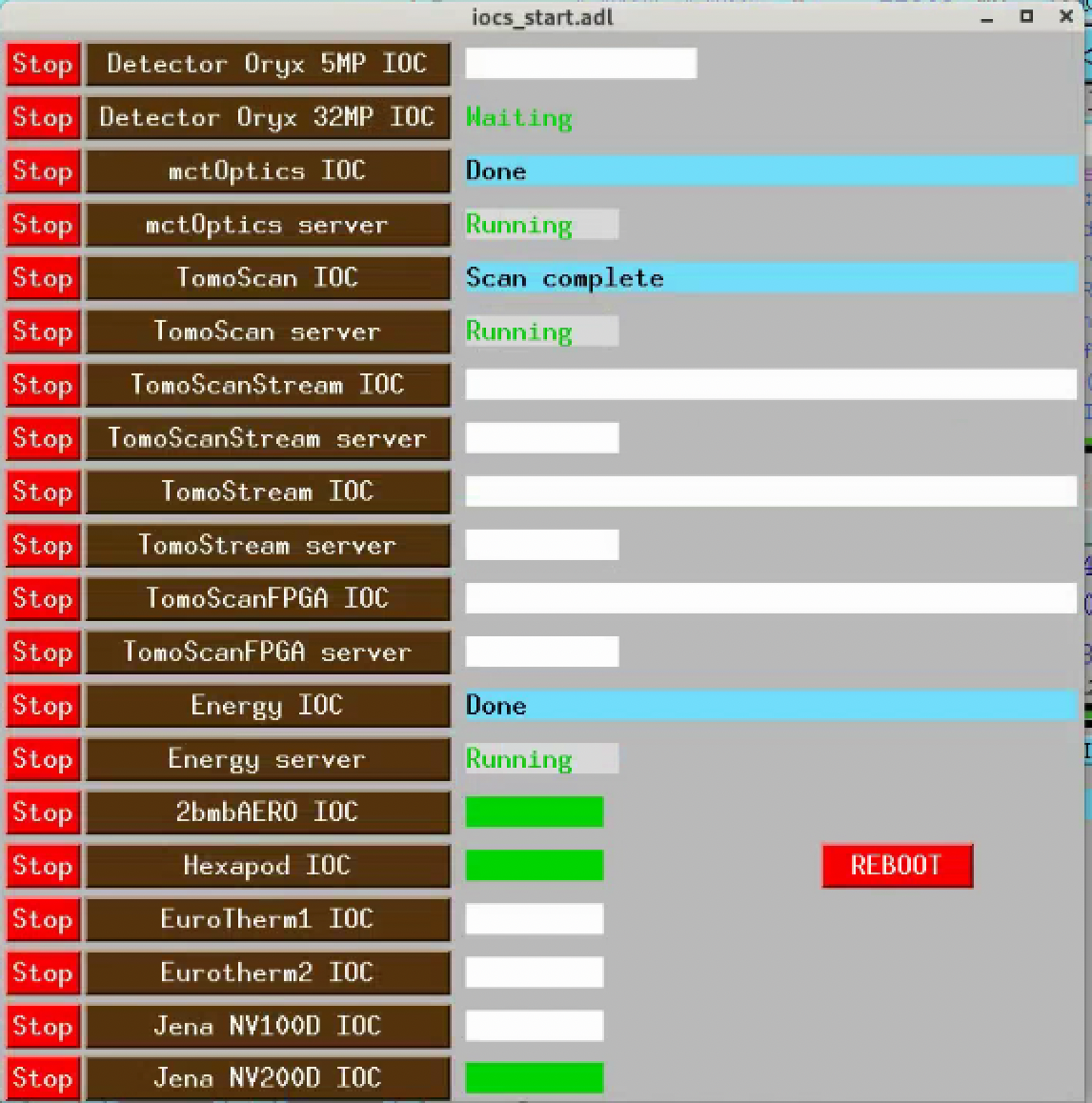
iocs_start control screen showing the Jena NV200D IOC entry.
Network configuration
Controller IP addresses:
X: 10.54.113.126
Y: 10.54.113.125
Note
Only one Telnet connection is allowed at a time. The EPICS IOC must be stopped before running the triggered-step Python script (see Triggered step mode), and restarted afterwards.
Device configuration
Both controllers must be set to Xon/Xoff (software) flow control via the Lantronix XPort web interface for the EPICS support to work correctly.
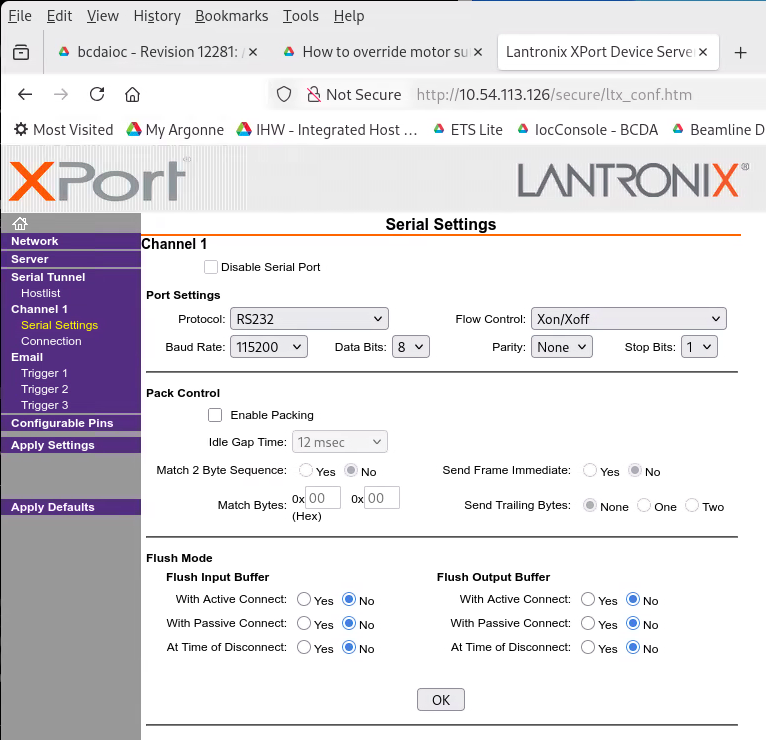
Lantronix XPort Serial Settings — Channel 1 flow control configuration (X axis).
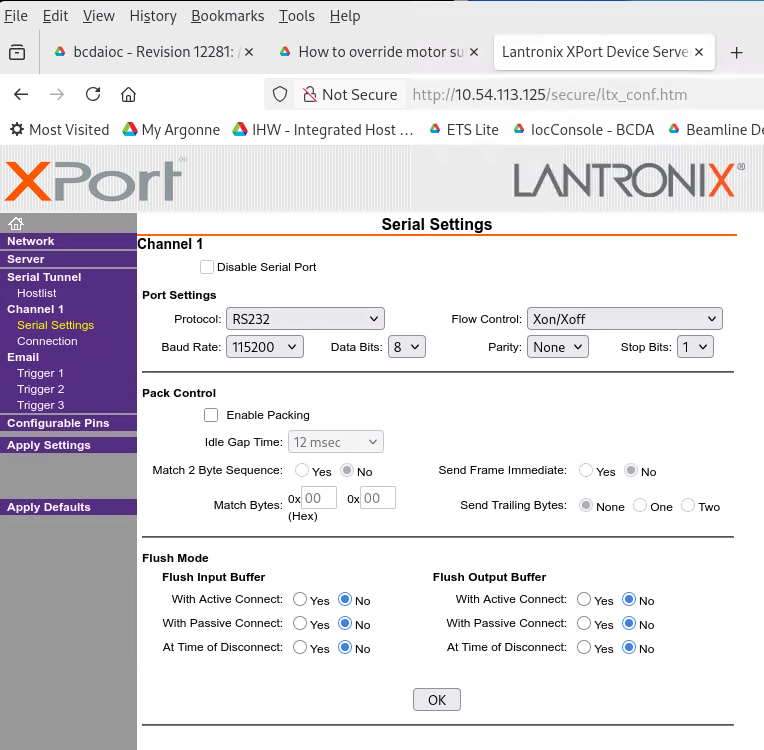
Lantronix XPort Serial Settings — Channel 1 flow control configuration (Y axis).
Warning
The nv200 Python library (see Triggered step mode below) calls
configure_flow_control(XON_XOFF_PASS_TO_HOST) on connect when
auto_adjust_comm_params=True (its default). This is a persistent
NVM write to the XPort and silently flips the flow-control mode
from Xon/Xoff (Flow 01) to XON_XOFF_PASS_TO_HOST (Flow 05).
In Flow 05, controller replies come wrapped with XOFF/XON bytes
(\x13meas,-10.750\r\x00\n\x11) that the shared stream proto
($(IP)/db/JenaNV100D.proto) cannot parse; the EPICS IOC’s
read records then sit at SEVR=INVALID, STAT=CALC even
though write still forwards to the controller.
If the EPICS side stops updating after a Python session, either:
Reset the XPort back to
Xon/Xoff(Flow 01) via the web UI, and either patch thenv200_trigger_step.pycall site to passauto_adjust_comm_params=Falseor refuse to run any library code that would flip the mode again. Fragile — the next default-parameter Python run breaks it again.Or install a local proto override at
iocBoot/iocJenaNV200D/JenaNV100D.protothat accepts the framed reply (add a leading\x13on eachread*inline). BecauseSTREAM_PROTOCOL_PATH=".:$(IP)/db", the local file wins over the shared support module for this IOC only. See the 32-ID equivalent page in the 32-ID docs (manual/manual_030“Device configuration”) for the concrete diff applied at 32-ID.
MEDM control screens
The Jena NV200D control is accessible from the lower-right corner of the mct_main screen under Jena NV200D Piezo:
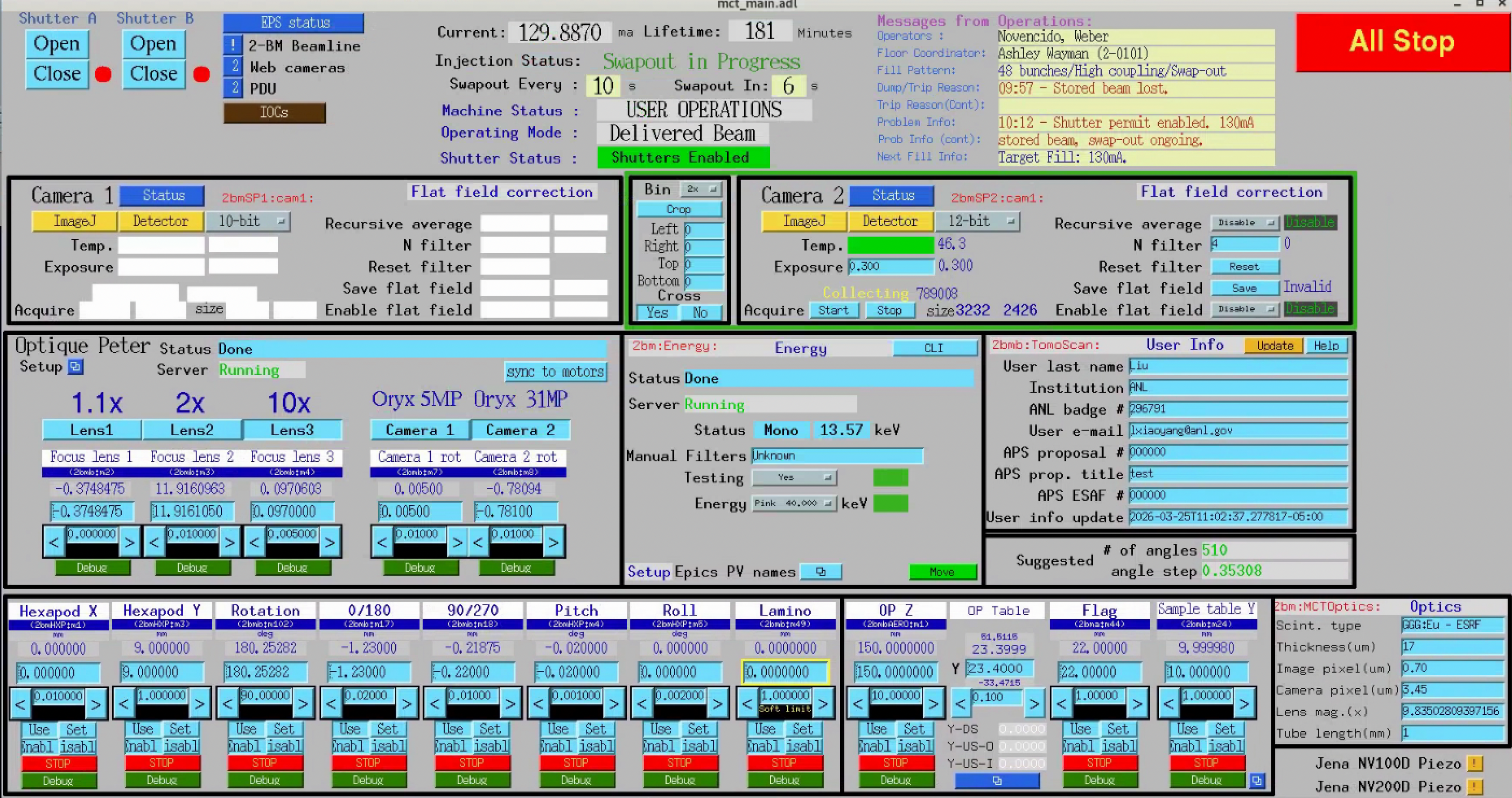
mct_main screen — Jena NV200D Piezo entry in the lower-right corner.
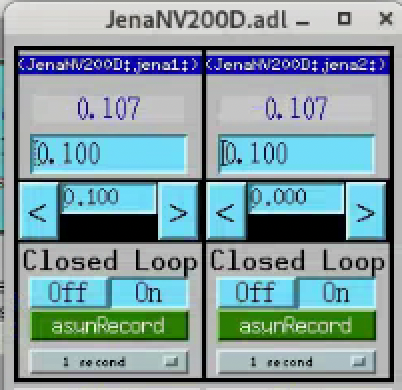
Jena NV200D MEDM screen showing both axes in closed-loop mode.
caqtdm interface
Start the caqtdm interface:
[2bmb@arcturus]$ /net/s2dserv/xorApps/epics/synApps_6_3/ioc/JenaNV200D/iocBoot/iocJenaNV200D/softioc/JenaNV200D.pl caqtdm
FPGA trigger integration
The FPGA sends a TTL pulse to the NV200D controllers to step to the next position during the camera readout interval. The JenaX and JenaY coaxial cables are connected to FPGA out2 and out3 respectively.
The delay before each pulse is set via two softGlue PVs (units: number of 10 MHz clock cycles, i.e. 100 ns per unit):
2bmbMZ1:SG:GateDly-2_DLY    # X axis delay
2bmbMZ1:SG:GateDly-3_DLY    # Y axis delay
Set the DLY field to the detector exposure time plus a safety margin:
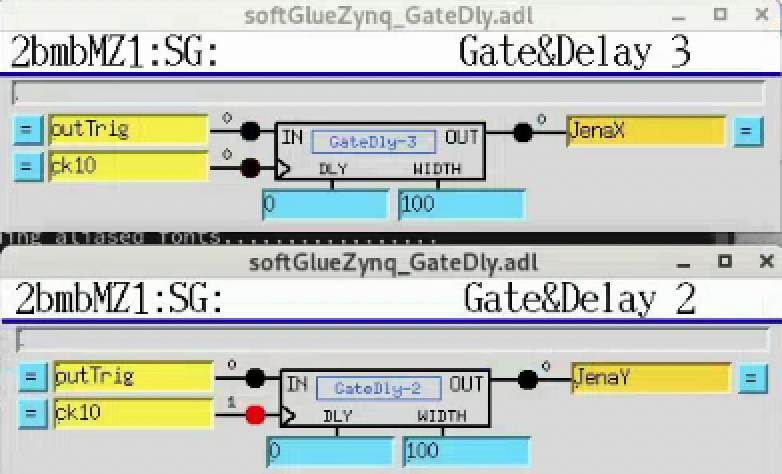
softGlueZync GateDelay screens for the two NV200D trigger channels.
Triggered step mode
Up to 1024 positions can be pre-loaded into each controller’s waveform buffer. Each rising TTL edge on the TRG IN connector (pin 3 of the I/O D-Sub, 0/3.3–5 V) advances the actuator to the next position.
Warning
Stop the EPICS IOC before running the script — only one Telnet connection is allowed at a time. Restart the IOC when done.
Activate the dedicated nv200 conda env (Python 3.12,
/home/beams/2BMB/conda/anaconda/envs/nv200), which already has the
required nv200 + numpy libraries installed:
conda activate nv200
To recreate the env from scratch:
conda create -n nv200 python=3.12 -y
conda activate nv200
pip install nv200 numpy
The script lives in the 2bm-procedures repository
(procedures/nv200_trigger_step.py).
Change to that directory before invoking it — the script writes
positions_x.txt / positions_y.txt to the current working
directory and looks for no input files. Run on a computer on the
beamline’s private subnet (e.g. arcturus):
[2bmb@arcturus]$ cd <path-to-2bm-procedures>/procedures
[2bmb@arcturus]$ python nv200_trigger_step.py [--n N] [--random]
(Replace <path-to-2bm-procedures> with wherever the
2bm-procedures
repository is checked out — e.g.
~/conda/2bm-procedures-decarlof.)
Arguments:
--n N— number of positions to load (default: 256, max: 1024)--random— use random positions instead of evenly spaced (linspace)
See the procedure page NV200D triggered-step buffer programming for the formal procedure definition (preconditions, parameters, steps, postconditions, failure modes) that this operational walk-through implements.
Example output:
Connecting to X (10.54.113.126)...
Connecting to Y (10.54.113.125)...
--- X axis ---
  Actuator stroke: 0.0 … 100.0 µm
  Auto-generated 256 evenly-spaced positions.
  Loading 256 positions into buffer...
    128/256
    256/256
  Running. 256 positions loaded. Current position: 0.000 µm
--- Y axis ---
  Actuator stroke: 0.0 … 100.0 µm
  Auto-generated 256 evenly-spaced positions.
  Loading 256 positions into buffer...
    128/256
    256/256
  Running. 256 positions loaded. Current position: 0.000 µm

Running. Each rising edge on TRG IN (I/O connector pin 3) steps to the next position.
Press Enter to stop...
Stopping...
Stopped. Manual control restored.
On a clean exit (Enter pressed at the prompt), the script’s finally
block stops the waveform generator, disables the trigger input, forces
PidLoopMode.CLOSED_LOOP, and issues a move_to_position(0.0) on
each device before closing the Telnet connection. The
move_to_position call is what actually restores serial-driven
setpoint control on the controller, so the EPICS IOC (or a subsequent
Python session) can drive the piezo immediately after the script exits.
If a Python session is killed uncleanly (kill -9, crash) and the
IOC’s JenaNV200D:jena1:write no longer moves the piezo afterwards,
the controller is stuck in waveform / trigger-driven mode. Recover by
re-running nv200_trigger_step.py and pressing Enter immediately
(so the finally block runs), or by opening a short Python session
that calls dev.move_to_position(0.0) on each controller.
Note
Positions are stored in the controller’s RAM and are lost on power
cycle. Once operation is confirmed, they can be persisted to EEPROM
using the save_to_eeprom() method in the library.